Learn everything about GM MDI 2 diagnostic tools in 2025---original vs. clone, setup with Techline Connect, VIN-based programming, and more. Get dealer-level access with the right tools and subscription.
If you're working with General Motors vehicles and need a reliable diagnostic and programming tool, the GM MDI 2 (Multiple Diagnostic Interface 2) is one of the best OEM-level solutions available. Whether you’re a professional mechanic or a DIY auto enthusiast, understanding how the GM MDI 2 works—and how to get the most from it—can save you time, money, and frustration.
GM MDI 2 is the official diagnostic and programming interface used by GM dealerships.
It supports:
Vehicle diagnostics
Module reprogramming
ECU flashing
Service functions like key programming, throttle reset, and more
The MDI 2 connects to your vehicle's OBD-II port and interfaces with GM’s diagnostic software such as Techline Connect, GDS2, and Tech2Win, allowing you to perform factory-level functions.
GM MDI 2 Clone vs. Original: What’s the Difference?
Many users choose the GM MDI 2 clone from China due to its affordability. While it's not officially licensed by GM, a high-quality clone can perform similarly to the original if paired with the right software and hardware. Users report excellent results when used correctly.
Recommend GM MDI 2 Clone:
Lower cost
Compatible with Techline Connect, GDS2, and Tech2Win
Supports full module gm mdi programming (with subscription)
May require some tech know-how to set up
Software Requirements: Techline Connect, GDS2, and Tech2Win
To use the GM MDI 2, you'll need:
A laptop with minimum system specs (Techline Connect checks compatibility before running)
Techline Connect software for diagnostics and GM programming
Optional: Hard drive preloaded with software (some sellers offer this)
Minimum Laptop Specs:
Windows 10 or 11 (64-bit)
8GB RAM or more
i5 processor or higher
SSD strongly recommended
Do You Need a GM Subscription?
Yes. Even if you purchase a preloaded hard drive or GM MDI 2 software hardware, you still need a GM Techline Connect subscription to access programming features.
Subscription Options:
$40 per VIN (ideal for individual vehicle programming)
Annual subscription (costs more but better for shops)
Diagnostic-only subscription is expensive—many use alternative scanners like the Zurich Pro for diagnostics and save the MDI 2 for programming.
Programming with GM MDI 2: Step-by-Step
Connect MDI 2 to the vehicle’s OBD-II port
Launch Techline Connect on your laptop
Login to your GM account with a valid subscription
Select the VIN or enter it manually
Choose module programming or diagnostics
Follow on-screen prompts to flash or reprogram the module
Warning: Do not interrupt the process—flashing modules improperly can brick your ECU.
Why Buy an GM MDI 2 with Preloaded Software Hard Drive?
www.cartooldeal.com offer an
GM MDI 2 with hard disk software that includes GDS2, Tech2Win, and Techline Connect pre-installed. This is great for:
Saving setup time
Ensuring software compatibility
Avoiding installation errors
Still, a valid GM subscription is required for module programming, even with a preloaded disk.
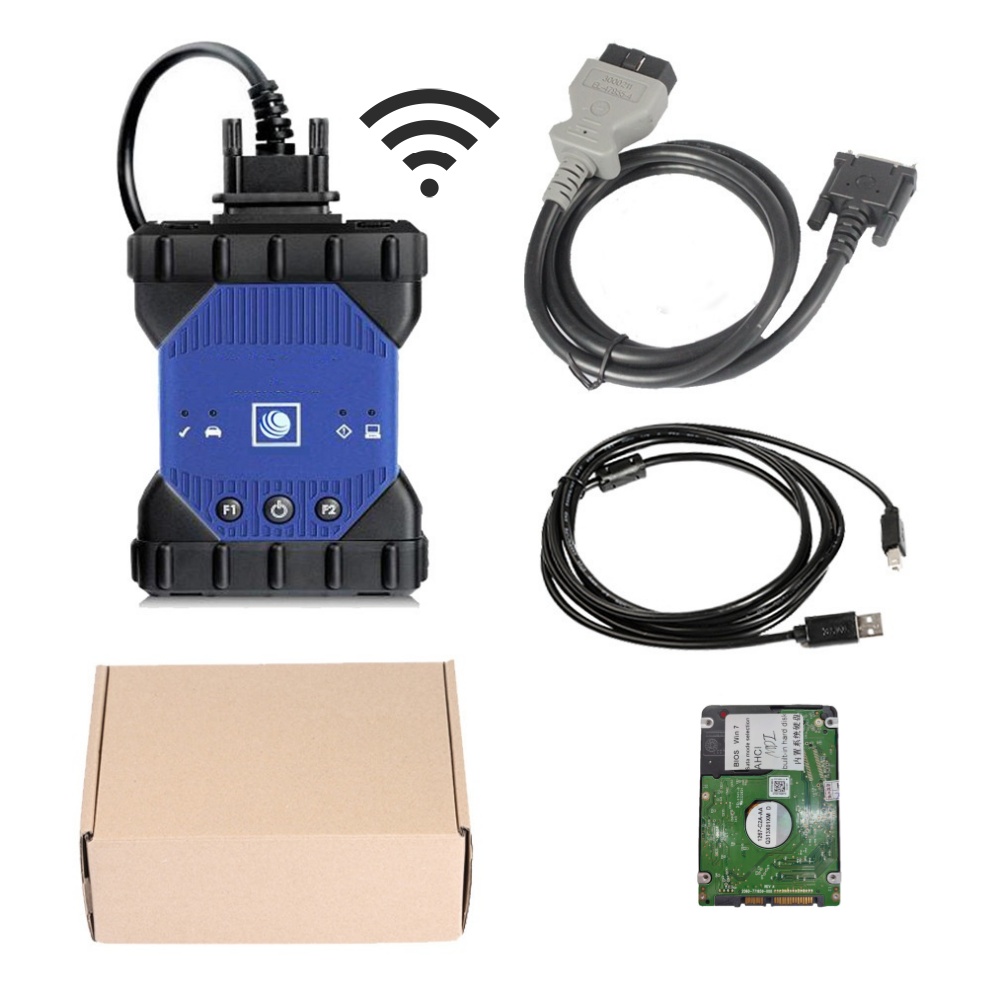
GM MDI 2 Alternatives for Diagnostics
Since GM’s diagnostic subscription is expensive, many professionals use tools like the:
Zurich ZR Pro
Autel MaxiSys Elite
Launch X431
These tools offer bidirectional controls, live data, and actuation tests at a fraction of the cost.
Conclusion: Is GM MDI 2 Worth It in 2025?
Absolutely—if you need OEM-level programming for GM vehicles, the MDI 2 is the way to go. Whether you buy the original or a high-quality clone, pair it with the right laptop and a GM subscription, and you'll have dealer-level capabilities at your fingertips.
Quick Takeaways:
GM MDI 2 is essential for GM module programming
Clones work well if configured correctly
Techline Connect is required—and checks laptop specs
$40 per VIN subscription is the most cost-effective option
Use another scan tool for daily diagnostics to save money



