This article is to share about how to solve chrysler wiTech Micropod 2 Chrysler diagnostic tool registration required problem.
Recently, Some of the customers reported that they meet the error of
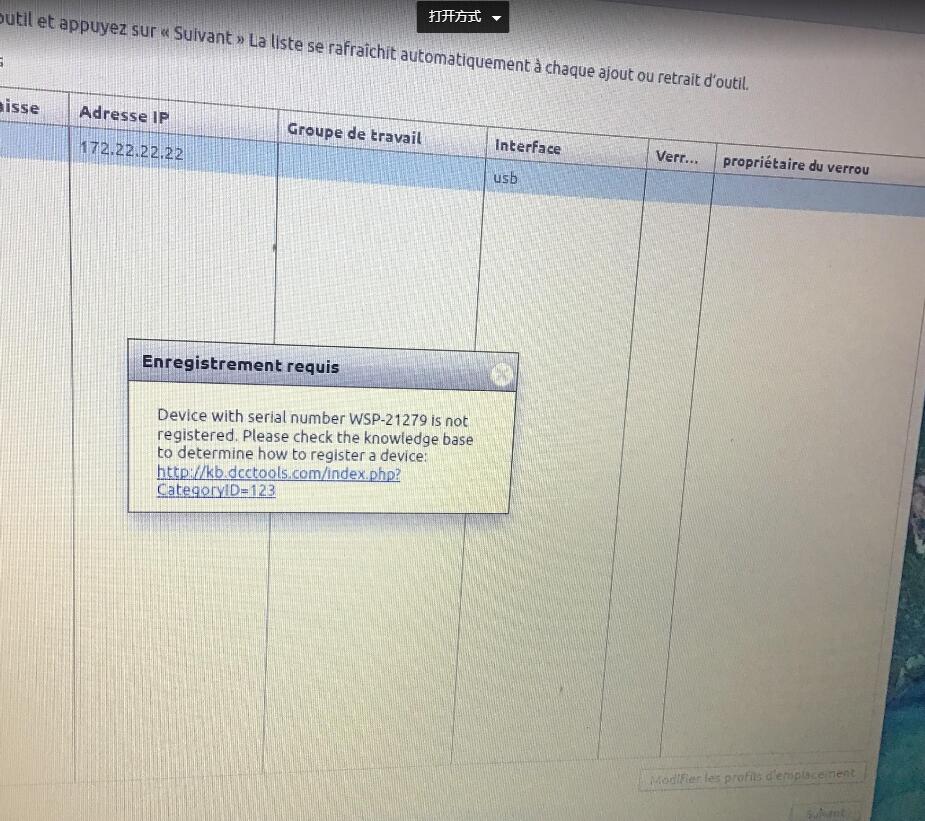
“Device with serial number WSP-21279 is not registered. Please check the knowledge base to determine how to register a device...” when installed wiTech Micropod 2 Chrysler diagnostic tool.
Today, we would like to share the solution to sloved this error.
Please follow these steps to operation:
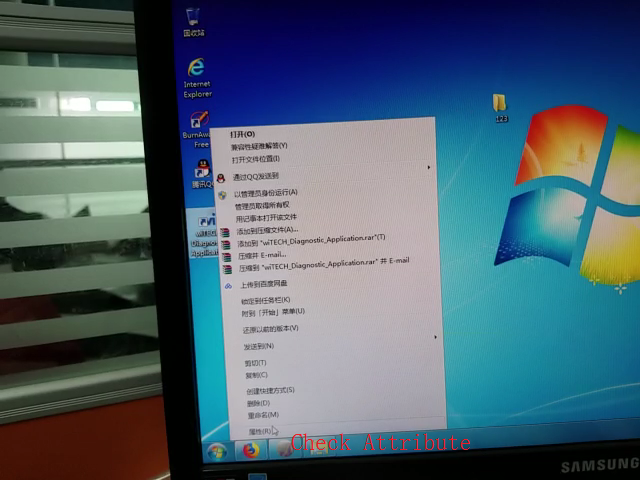
Right click the
wiTECH MicroPod 2 chrysler diagnostic software and select the “Attribute” to check specific information.
Find the file named “app-config”, double click on it and scroll down to find this line and change the value “5f86...” to “6f86...”, save it and exit.
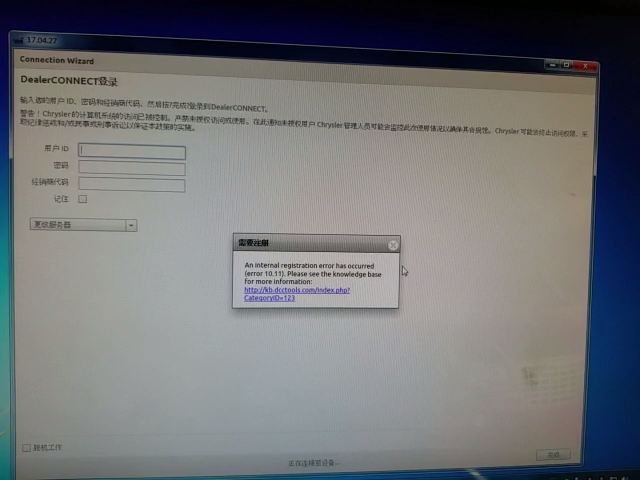
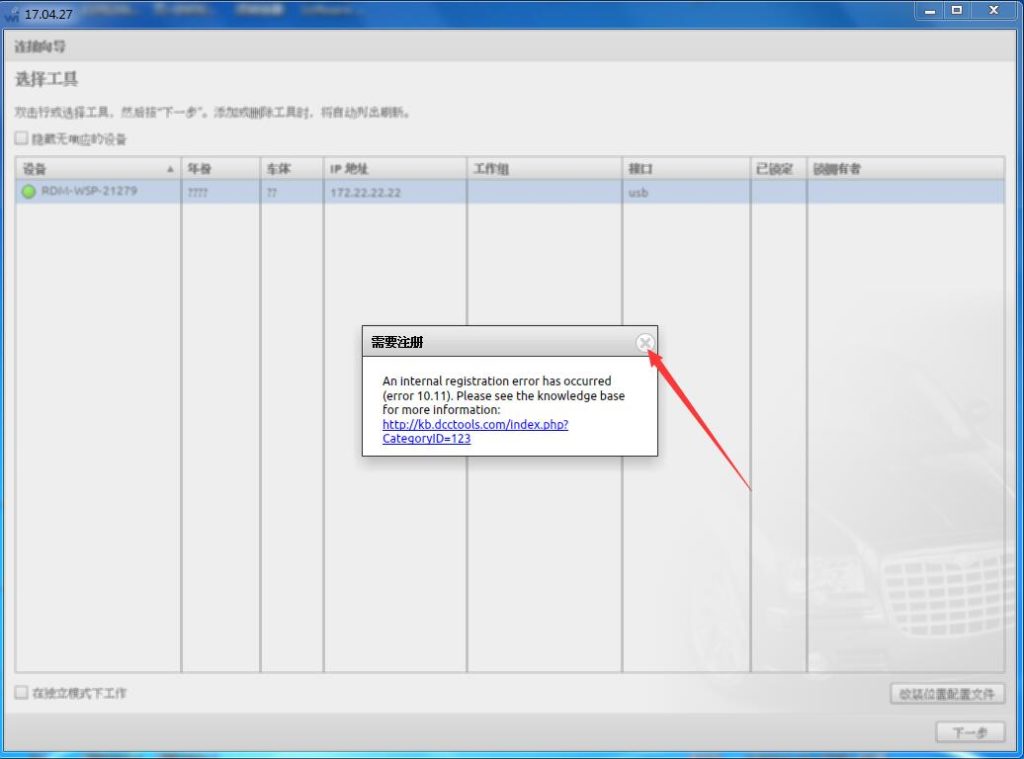
Restart this software, it reports the error of “An internal registration error has occurred...” Don’t worry about that.
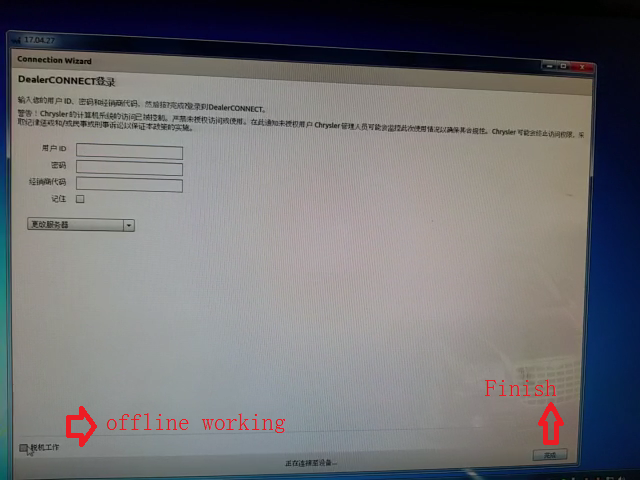
Tick on “off-line working” at the bottom left, and “Finish” at the bottom right.
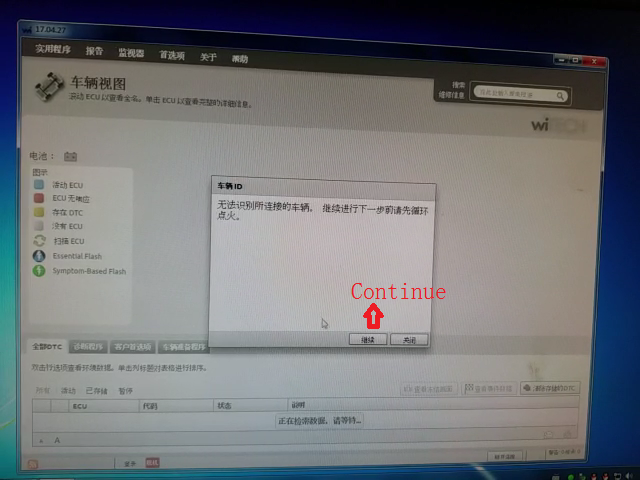
Then select “Continue” to confirm the car model year.
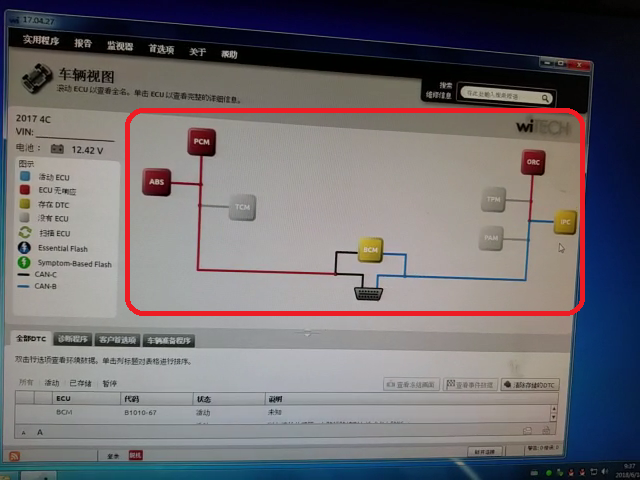
Vehicle identified correctly.
It will begin loading the car meta data like this:
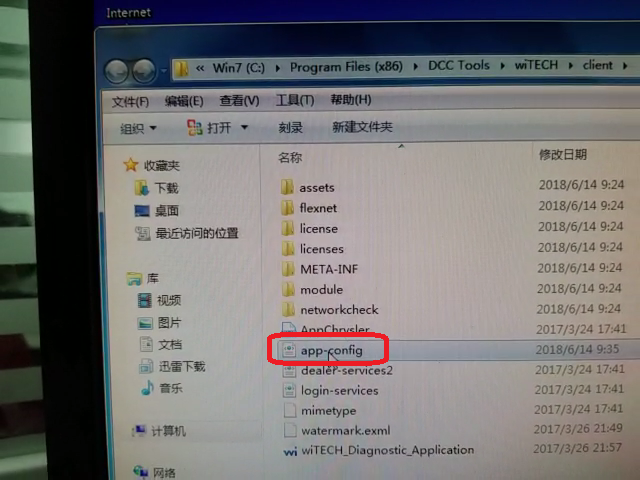
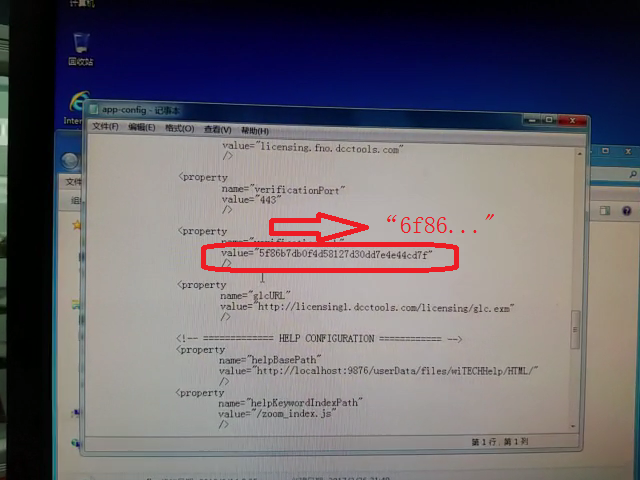 Right click wiTech Diagnostic Application-> Properties->Open file locationC:/Program Files (x86)/DCC Tools/wiTECH/clientOpen app-config text fileChange the first number to any value marked red above.i.e change 6 to other numbers, 1-9Then save the text file. (Very important!!!)
Run Witech 2 software again
If witech still prompts error ” an internal registration error has occurred “, just ignore by clicking no icon to close it.
Problem solved.
Then tick “Offline” on the bottom left corner (Don’t need to login)
Run witech chrysler diagnostic software.
Or you may follow this video to operation : https://youtu.be/jwBDLF3WYvI